




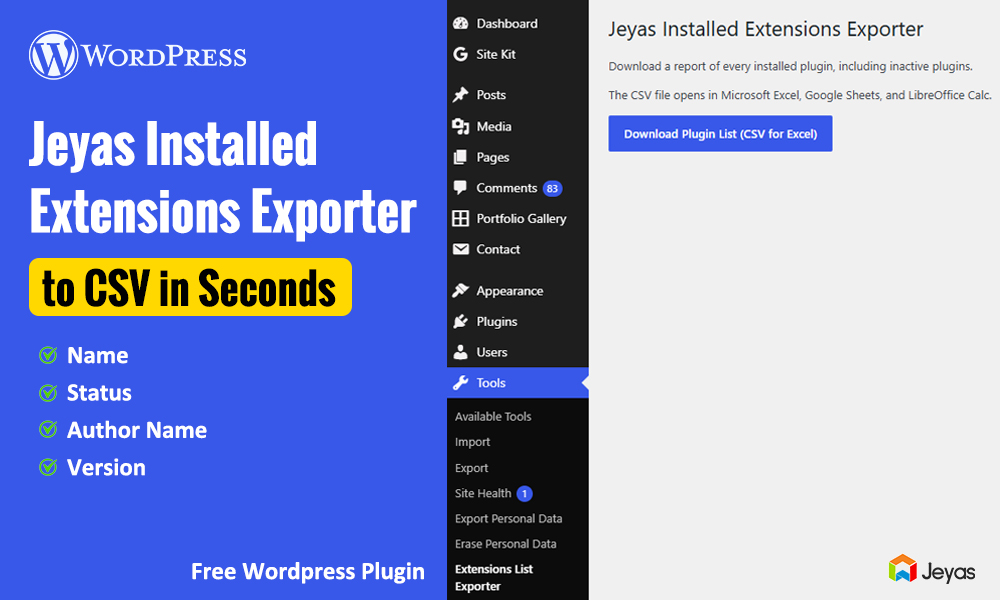

Introducing Jeyas Installed Extensions Exporter
Managing a WordPress website often means working with multiple plugins to support SEO, security, performance, eCommerce, and other essential features. Keeping track of installed plugins, their versions, and their activation status can become difficult, especially when managing multiple websites.
To make this process easier, we introduce Jeyas Installed Extensions Exporter, a WordPress plugin designed to help website administrators export installed plugin information into a convenient CSV file.
What Is Jeyas Installed Extensions Exporter?
Jeyas Installed Extensions Exporter is a WordPress administration tool that helps you generate an exportable list of installed plugins. The exported CSV file can be opened in spreadsheet applications such as Microsoft Excel or compatible alternatives.
Instead of manually copying plugin details from your WordPress dashboard, you can use the exporter to collect supported plugin information in a structured format.
Key Features
1. Export Installed Plugins to CSV
Export plugin information into a CSV file for easier review, record-keeping, and reporting.
2. Review Plugin Names
Keep a convenient list of plugin names installed on your WordPress website.
3. Check Plugin Versions
Review the reported version numbers to help with maintenance planning and software update checks.
4. Identify Active and Inactive Plugins
See which plugins are active and which are inactive, making it easier to review your website’s plugin setup.
5. Spreadsheet-Friendly Format
Open the exported CSV file in Microsoft Excel or compatible spreadsheet software to sort, filter, and organize the information.
Why Is a WordPress Plugin Exporter Useful?
A plugin inventory can help with several website management tasks:
- Website maintenance: Keep a record of the plugins installed on your website.
- Website migration: Use the exported list as a reference when preparing to move a website.
- Troubleshooting: Review installed plugins when investigating compatibility or performance problems.
- Client reporting: Share a structured plugin inventory with clients or team members.
- Maintenance planning: Review plugin versions and activation status before performing updates.
Please note that the exported list is an inventory reference. It does not replace a full website backup or automatically migrate, update, or troubleshoot plugins.
Who Can Benefit from This Plugin?
Jeyas Installed Extensions Exporter may be useful for:
- WordPress website administrators
- Freelance WordPress developers
- Web design and development agencies
- Website maintenance professionals
- WordPress consultants managing client websites
If you regularly maintain WordPress websites, keeping an organized record of installed plugins can make routine administration more convenient.
How to Install and Use the Plugin
- Download the Jeyas Installed Extensions Exporter ZIP file from its official download page.
- Sign in to your WordPress administration dashboard.
- Navigate to Plugins → Add New Plugin → Upload Plugin.
- Select the downloaded ZIP file and click Install Now.
- Activate the plugin.
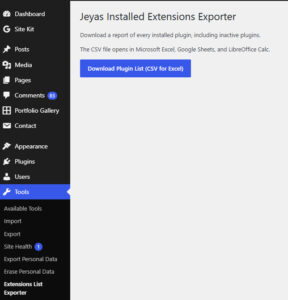
- Open the plugin’s administration page and follow the available export instructions.
- Download the generated CSV file and open it in your preferred spreadsheet application.
The exact menu labels and available fields may depend on the installed plugin version.
Frequently Asked Questions
Does the plugin export data to Excel?
The plugin exports CSV, a format that can be opened in Microsoft Excel and other spreadsheet applications.
Does it activate or deactivate plugins?
The exporter is intended to report plugin information. It should not be treated as a tool for activating, deactivating, installing, or removing plugins.
Can I use the exported list for website migration?
Yes, you can use it as a reference when planning a migration. However, the CSV file does not contain the complete plugin files, settings, database, or website backup.
Is a CSV export a replacement for a website backup?
No. Always create a complete website and database backup before major maintenance, migration, or update work.
Conclusion
Jeyas Installed Extensions Exporter provides a convenient way to create a CSV inventory of installed WordPress plugins. By reviewing plugin names, version numbers, and activation status in a spreadsheet, website administrators and developers can make plugin management and maintenance more organized.
If you manage WordPress websites and want a simpler way to review your installed plugins, consider adding Jeyas Installed Extensions Exporter to your website management workflow.
Interested in Jeyas Installed Extensions Exporter? Visit our plugin download page to learn more and get started.